Bring your Netflix history into Will Watch
Netflix lets you download your full viewing history any time, straight from your account. Will Watch is a free movie and TV tracker (no subscriptions) that can import it directly.


 On a computer? Scan to get the app on your phone.
Will Watch, plainly
Movies and TV shows live in one watchlist, you get notified when a new episode drops, and you can see which streaming service has a title based on where you live. Will Watch also has Movie Match: you and a friend swipe on titles, and get matched the instant you both like the same one.
Free to use. No subscriptions, not now, not later. That's not a launch promo, it's the whole business model.
Getting your Netflix viewing history
Unlike some services, Netflix keeps this available any time — there's no export request to wait on and no zip file. Four clicks on netflix.com, in a browser, and you've got a plain .csv ready to import:
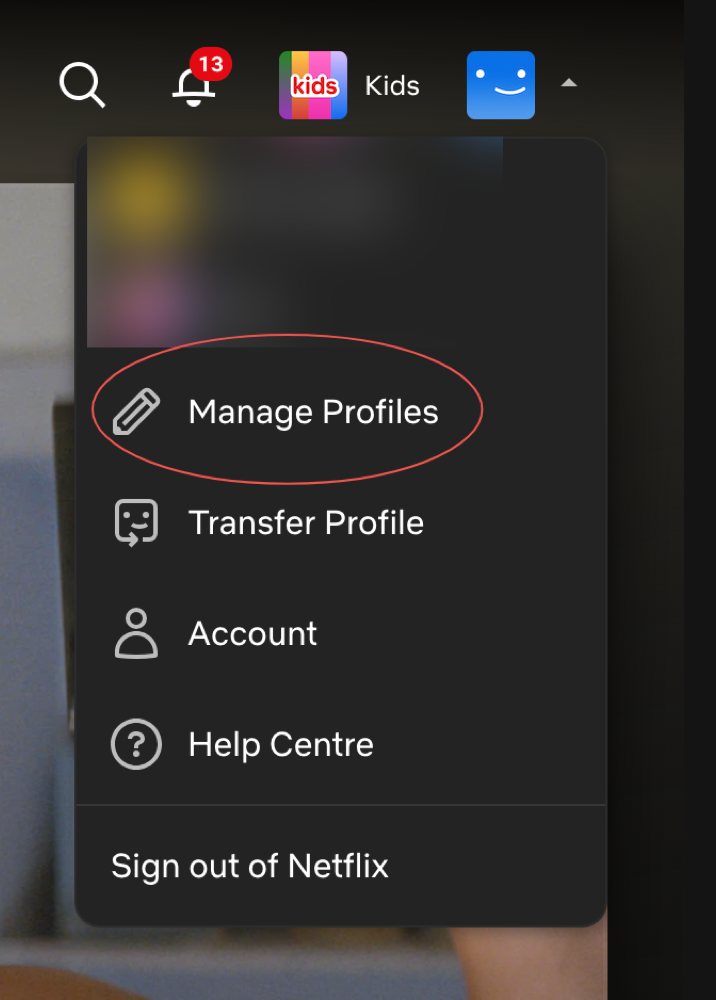
1Open the account menu top-right and click Manage Profiles.
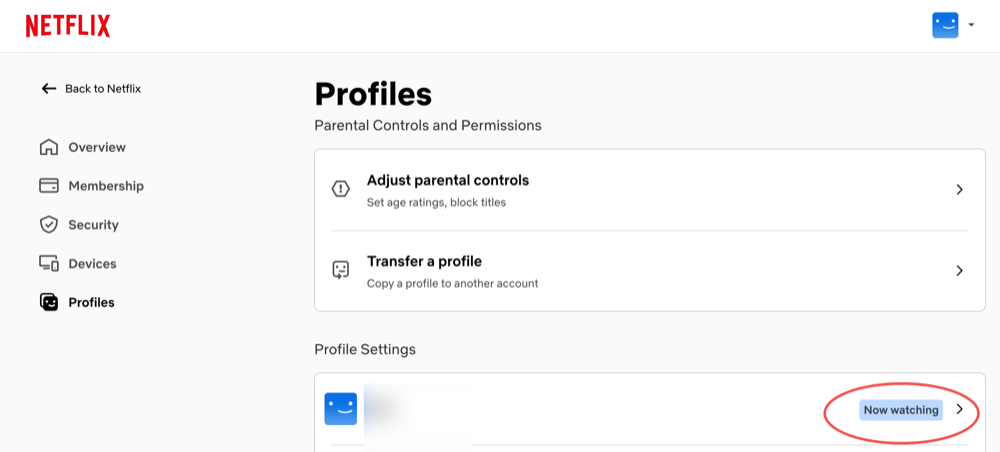
2Click the profile whose history you want.
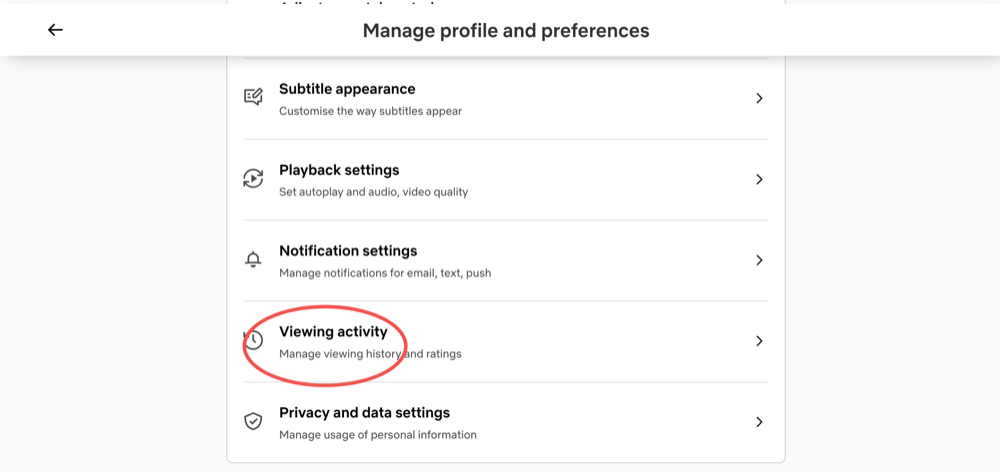
3Scroll down and click Viewing activity.
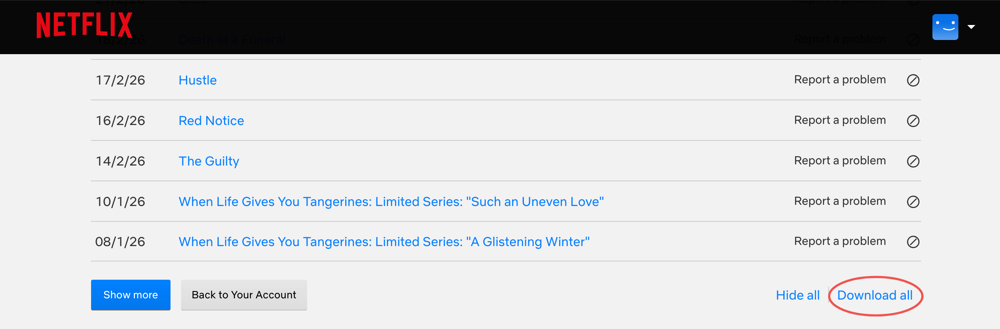
4Scroll to the bottom and click Download all.
Importing it into Will Watch
- Install Will Watch and create an account (or sign in, if you already have one).
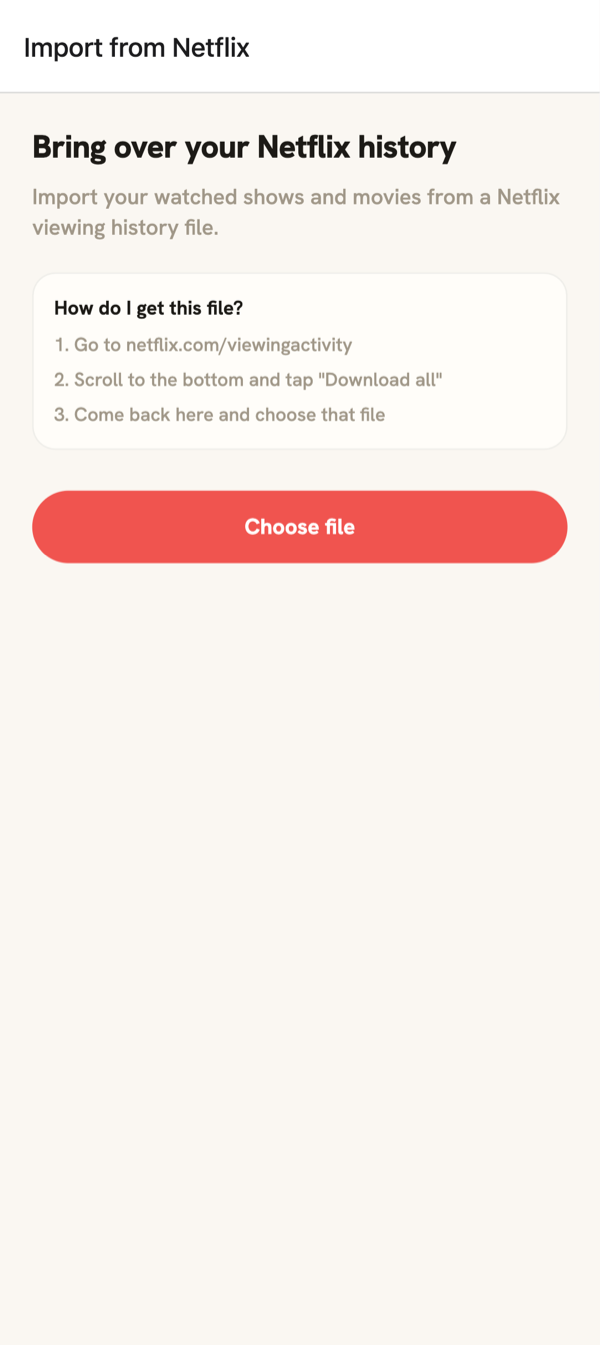
- Open Import your history: it's offered during sign-up, or later from Settings.
- Choose Netflix, then the .csv file you downloaded.
- Review and confirm: Will Watch matches your shows and movies and adds them to your watchlist.